
AI Agent settings - Give each organization the right AI agent
If your brand uses a custom AI customer service solution, you can now set a default AI Agent directly in Service Center settings and assign different Agents to different organizations, so each team's AI answers the questions it knows best, with simpler setup.
This feature requires a custom-developed AI solution and is not included in every plan by default. If you're interested, please contact your OakMega project representative.
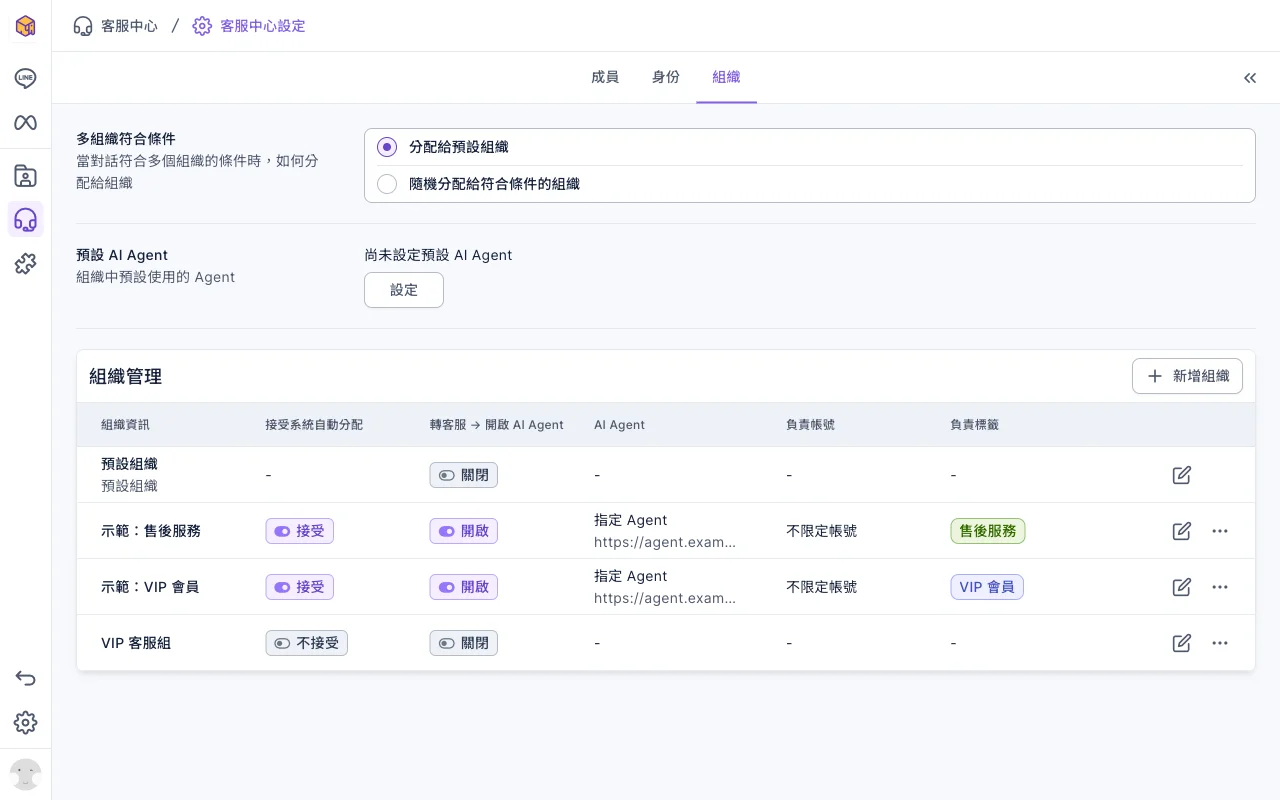
Have questions? See the user guide: Let an AI agent handle an organization's conversations →
Mark as unread - Keep conversations you've seen for later
Opening a conversation marks it as read, so unfinished conversations are easy to miss on a busy day. Now Service Center and Group Conversation let you mark a conversation as unread again, reminding you and your teammates to follow up.
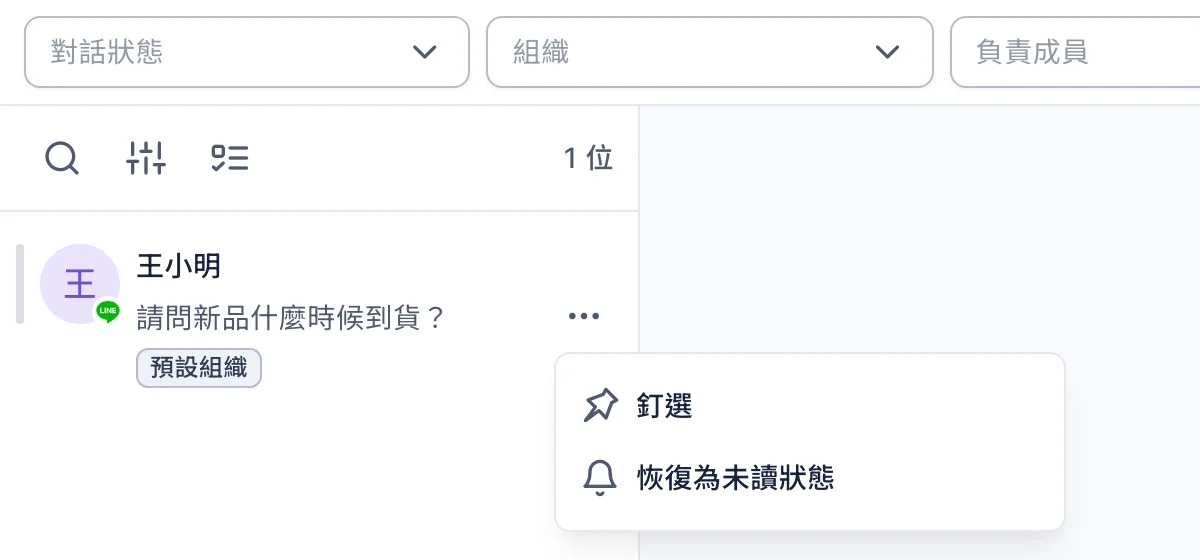
Have questions? See the user guide: Handle conversations in Service Center →
Improvements
- The update notice and the help links in Service Center settings and Web Tool settings now open the new user guide site.
- In newly created workspaces, the default folders and chatbots are created in Chinese or English based on the account language.
- Sending SMS verification codes in forms is more reliable, with clearer messages while sending and on timeout.
Fixes
- Fixed an issue where a form's submission period could be judged incorrectly when the form was opened in a different time zone.
- Fixed an issue where adding tags in bulk could not be completed.
- Fixed an issue where posts created in the previous back office with both a new-friend period and tag conditions lost the tag conditions when viewed in the new back office.
- Fixed an issue where deleting an Instagram or WhatsApp chatbot returned you to the wrong folder.