
AI chatbots: Plan and build quickly
With AI Create Chatbot, just briefly describe your use case and AI will plan the chatbot flow for you, generating multiple linked chatbots at once.
Whether it's event check-in, driving traffic between platforms or campaign planning, AI helps organize the chatbot structure, checks for keyword conflicts and provides first-draft content. Once you confirm, create them in batch, building chatbots more efficiently and saving you the time of setting everything up from scratch.
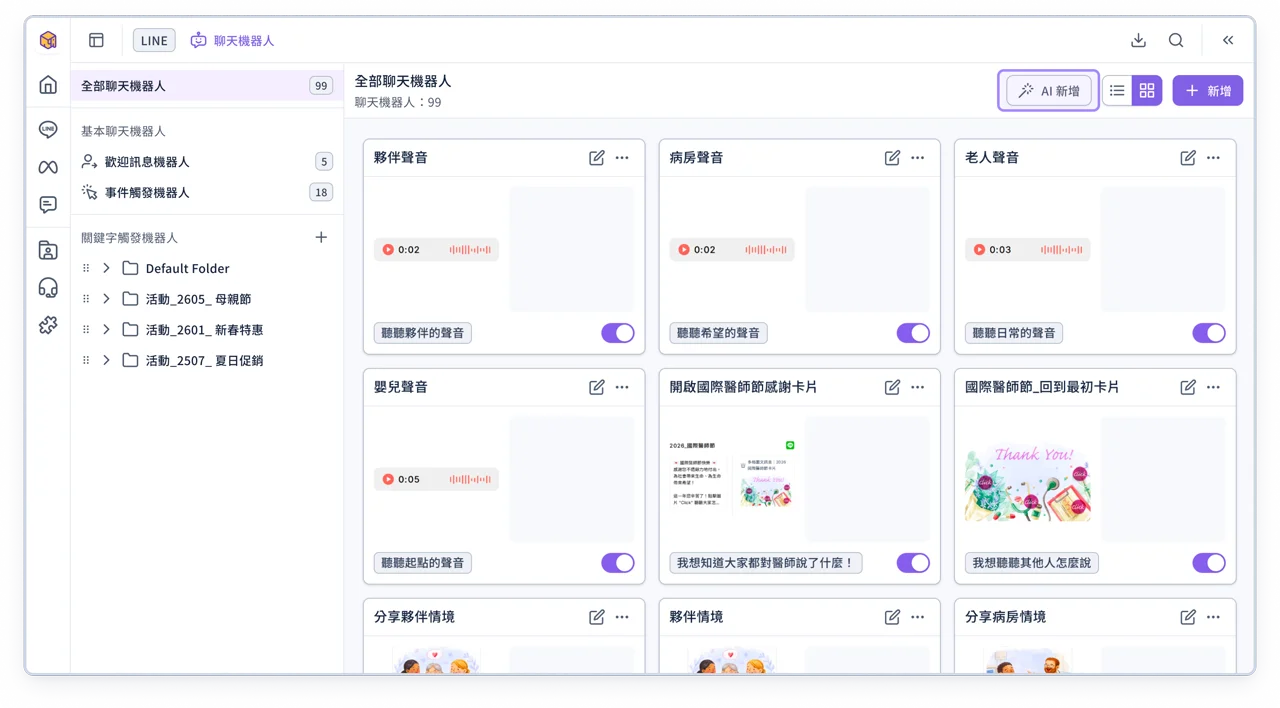
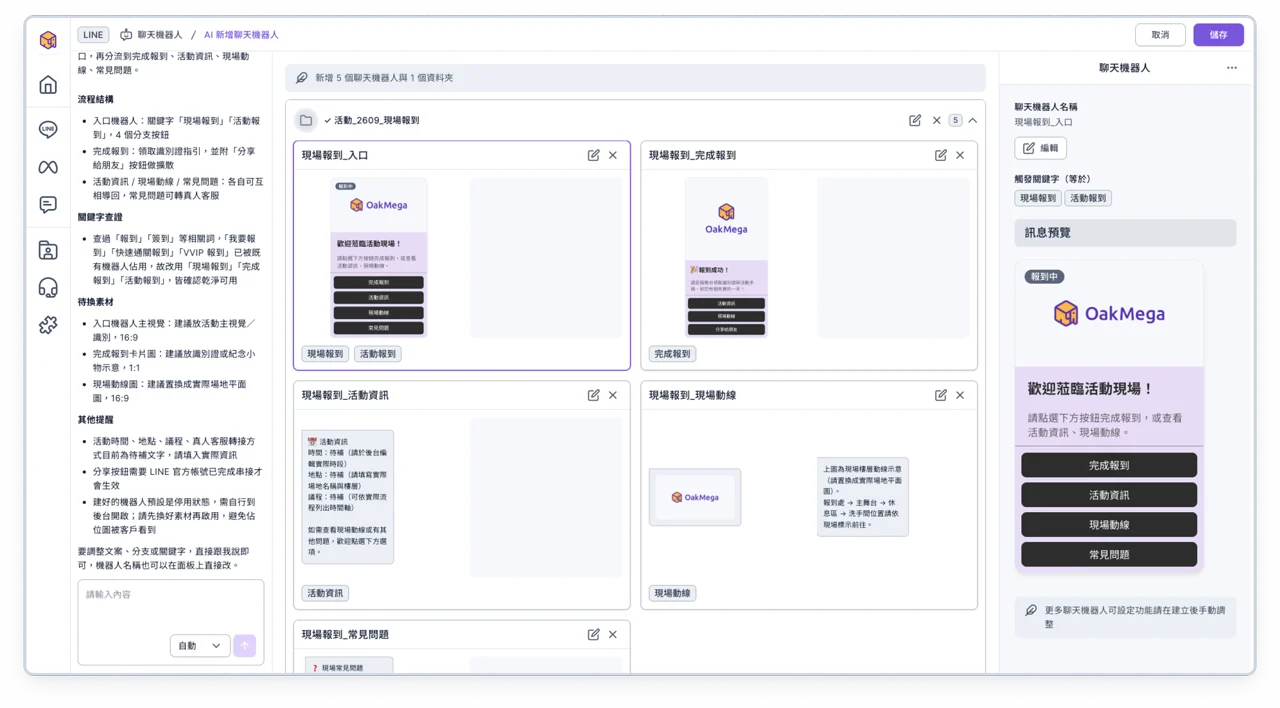
💡
OakMega AI features are brand new! From now until the end of September is the trial period, with a higher usage quota during this time. Don't miss the chance to try them out!
Note: The actual number of times you can use AI features varies by feature and usage. If you have any questions, contact your OakMega project representative.
Add LINE friend setting: Keep lists high-quality and connect follow-up flows
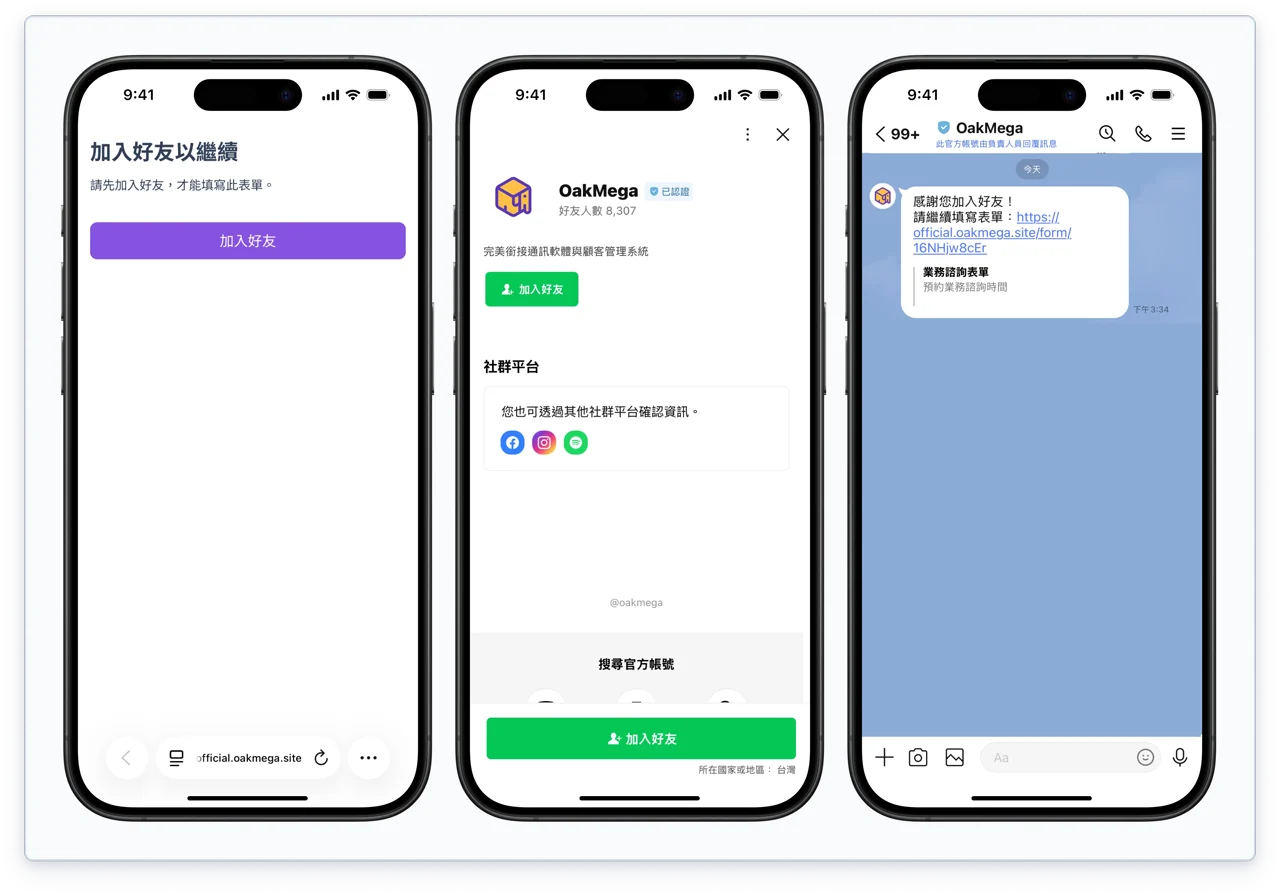
Approved pages and forms add an Add friend verification: members must add your LINE official account as a friend before they can open the page. This prevents non-friends from filling in forms and then being unreachable, helping keep your lists high-quality.
You can also pair it with chatbot messages that guide members to add you as a friend and then come back to fill in the form, so adding a friend and the steps that follow stay connected without interruption.
Improvements
- Approved pages and forms add an Exclude Tag setting: members with the specified tags can't view the page or fill in the form
- App posts now support Convert Link: paste any link and convert it into a deep link in one click
Fixes
- Line breaks displayed incorrectly in some text input fields