
Permission Management 3.0: Manage members and roles from either direction
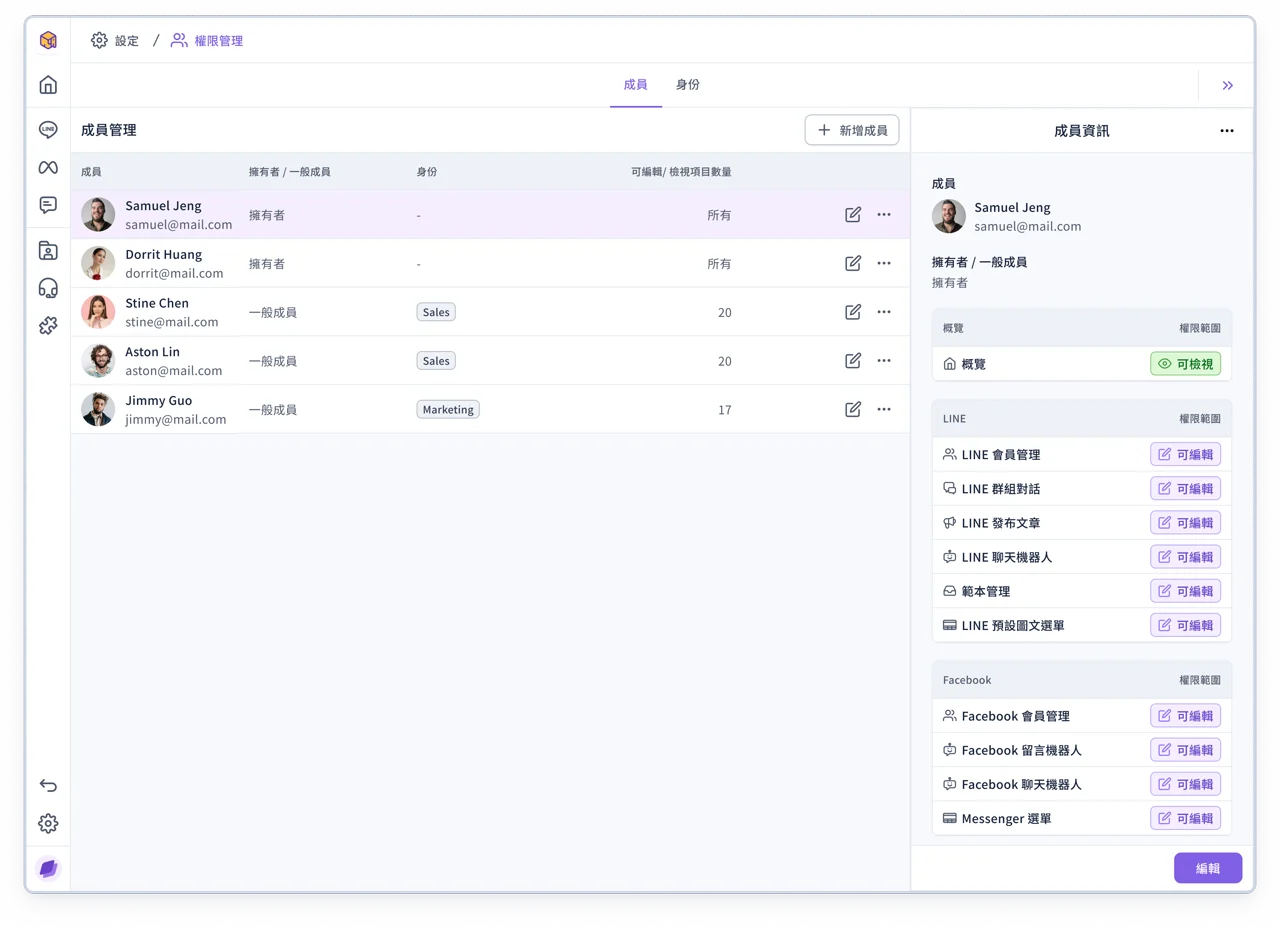
Permission Management has been upgraded to 3.0 with a smoother flow for setting up members and roles. You can assign a role starting from a member, or manage members in batch starting from a role. Both directions work flexibly, making permission settings easier and the information clearer.
💡
If you have any questions, contact your OakMega representative or see the guide: Permission Management →
Improvements
- Messenger Menu has been upgraded to 3.0 with an improved interface and experience
- Member Management and Blacklist in version 2.0 have been retired, and their features have fully moved to the 3.0 admin console
Fixes
- In some cases, forms displayed incorrectly when opened on mobile