
LINE Post Article 3.0: A major interface and data upgrade
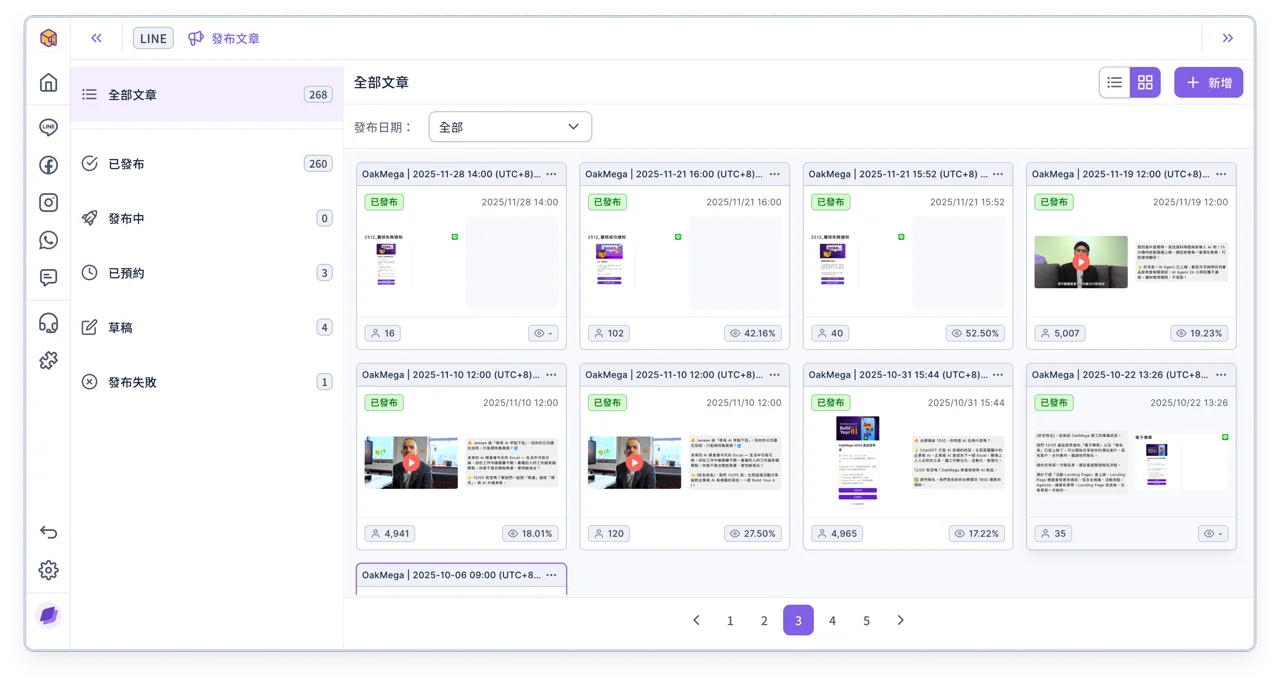
A brand-new page layout keeps the menu fixed on the left, and the post management page lets you switch between 2 views (card / list), so moving between folders is faster and browsing data is easier!
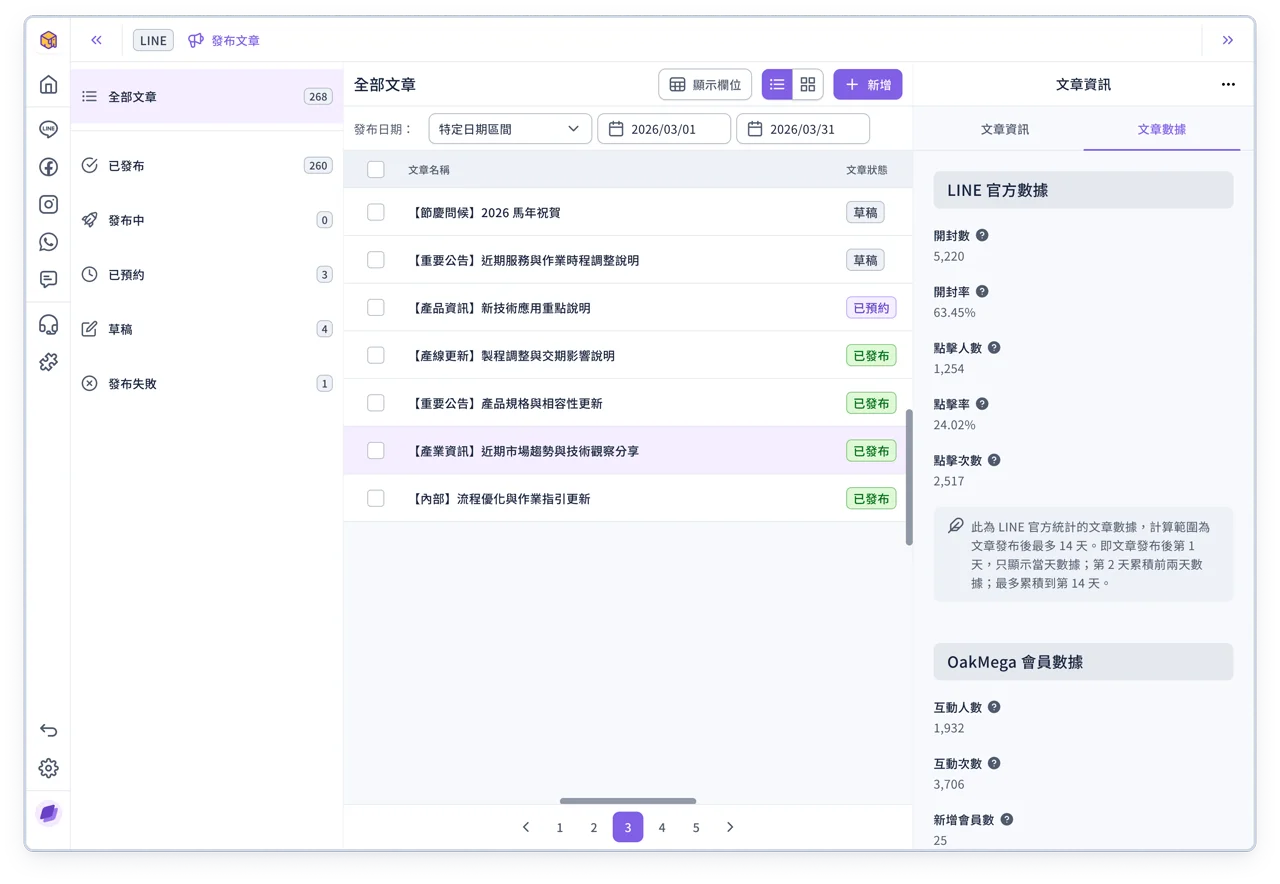
For post data, you now get the full set of metrics provided by LINE, including impressions, impression rate, clicks and click-through rate. You can also filter posts by publish date and then select several to download their data in batch, making performance tracking more efficient and giving your marketing decisions a solid basis.
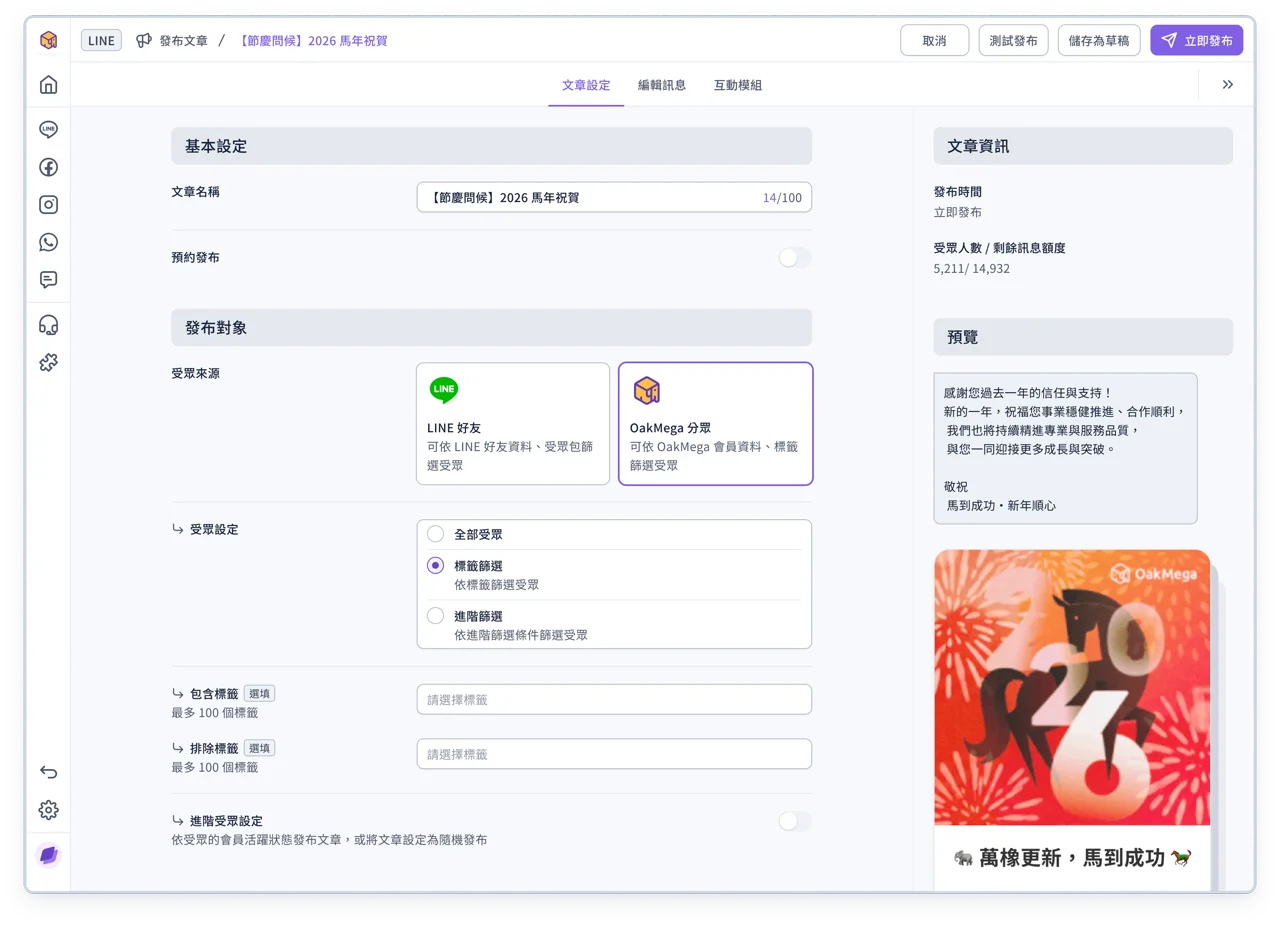
In addition, if you need to change the audience source while editing a post, there's no need to go back to the management page. You can choose LINE friends or OakMega segment right inside the post and then fine-tune your audience settings.
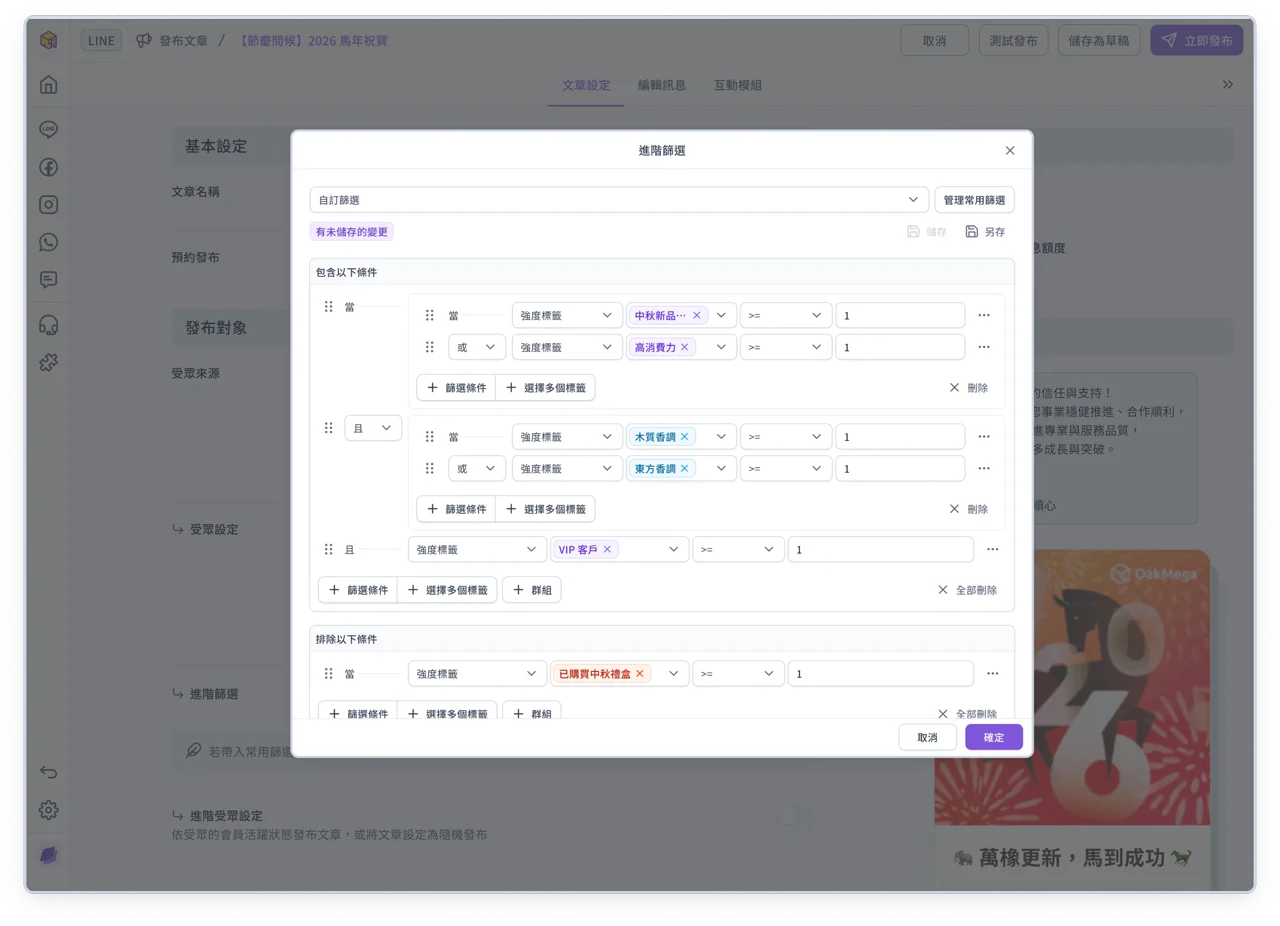
If you choose OakMega segment as the audience source, besides filtering your audience by tags, you can also use Advanced Filter to set up more complex audience conditions.
💡
If you have any questions, contact your OakMega representative or see the guides:
Other updates
- The 2.0 version of Service Center has been retired. Please use Service Center in the 3.0 admin console
- To provide a faster, more stable and more secure experience, we have retired the old domain** botfat.com and all links now automatically redirect to the new service portal scrm.oakmega.com.** This change includes:
- Faster page loading: An optimized site architecture and caching make pages respond more quickly and smoothly
- Better server performance: The updated system architecture allocates resources more effectively, improving access stability
- Stronger information security: Stricter security controls and encryption protect user data
💡
Note: Existing data is not affected, but you may need to set up some of your usual preferences again