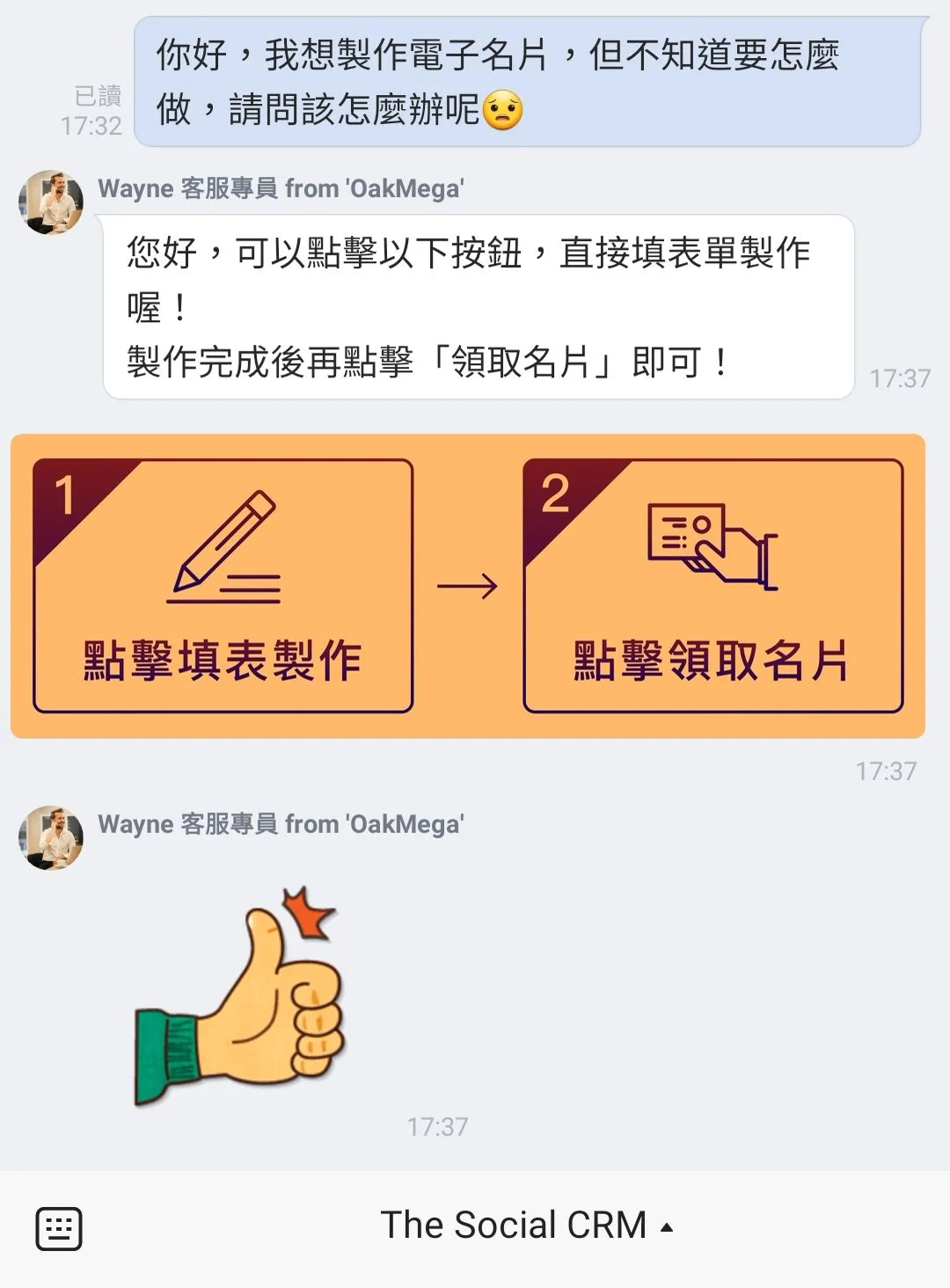
Service Center: Handle every message in an orderly way
Service Center is built for customer service, sales and customer relationship management. It distributes messages fully automatically so your service team can handle thousands of messages in an orderly way. It also brings a complete service workflow and dedicated pages for managers and agents, making it easy to divide and manage work by role.
Improvements
- The personal info block in membership can be turned on or off
Fixes
- Issues could occur when adding messages in the poll module
- Feature introduction page Service Center - Handle every message in an orderly way
💡
Service Center is built for customer service, sales and customer relationship management. It distributes messages fully automatically so your service team can handle thousands of messages in an orderly way. It also brings a complete service workflow and dedicated pages for managers and agents, making it easy to divide and manage work by role.
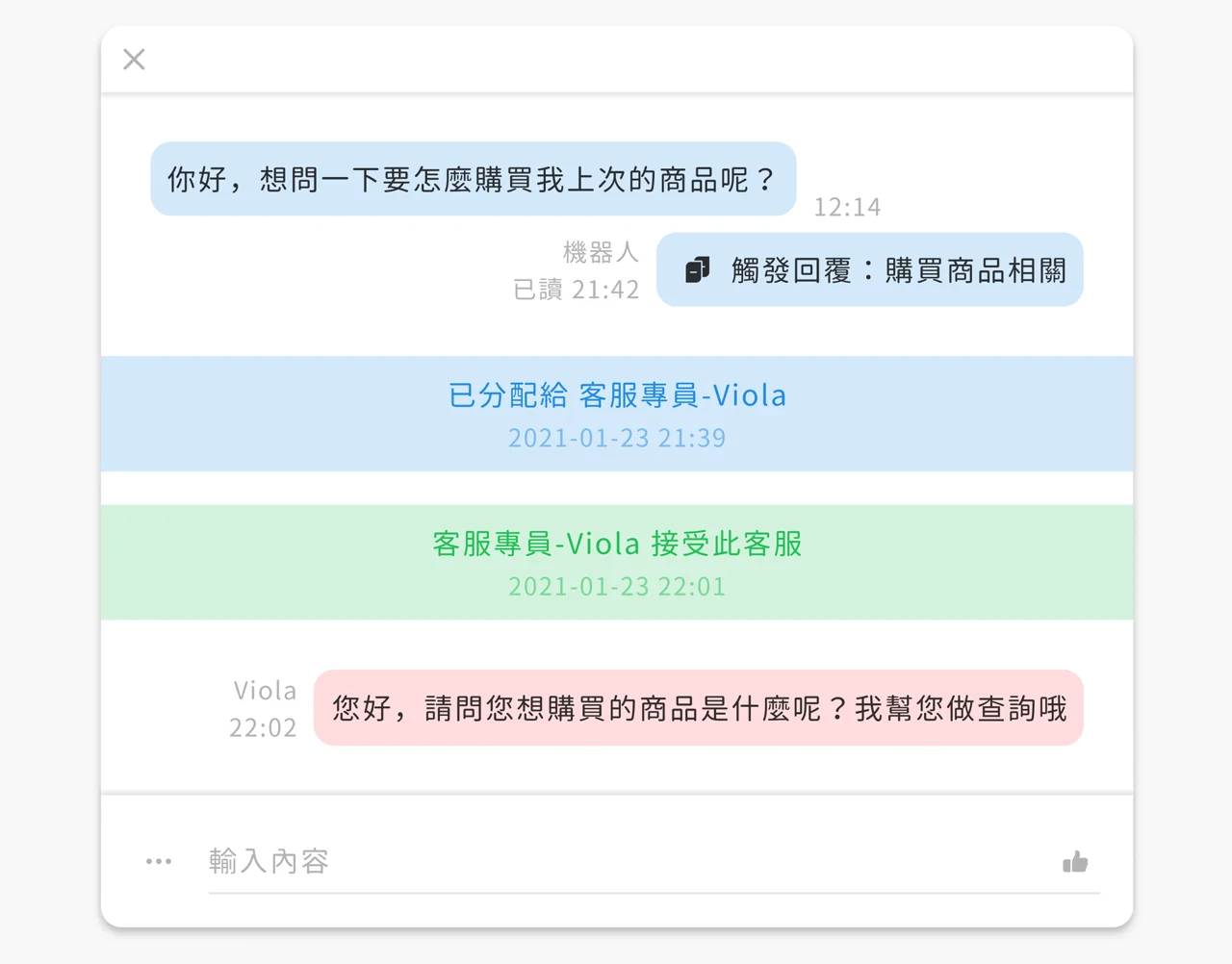
We believe a LINE official account shouldn't be split into "human reply" and "bot reply" modes. Both should coexist to meet your needs at the same time. The newly designed Service Center only shows messages routed through the "service center transfer" module, helping your service team spend time where it matters and greatly improving efficiency.
You decide which chatbots include service center transfer, so you can set different service starting points or conditions for different needs.
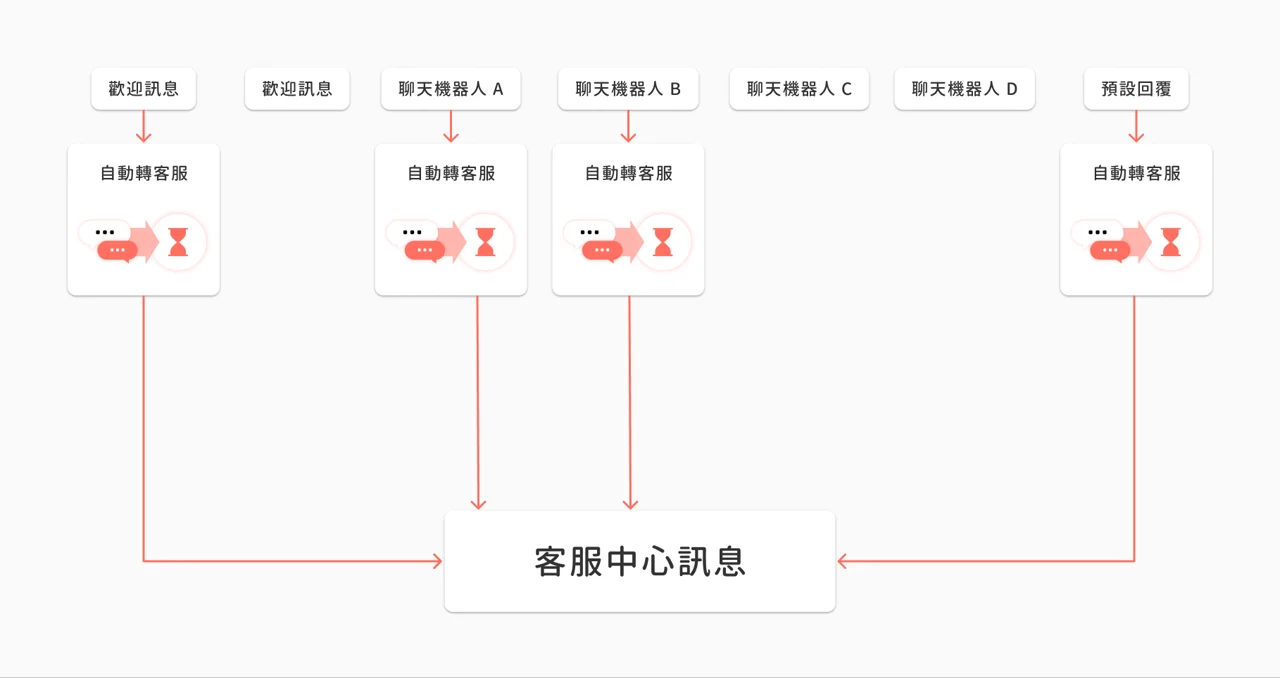
Automatic message distribution assigns work to each [service agent](https://oakmega.notion.site/85a895b1acf94fcd82447ae04dedc520#2b0173bd5c5040c4814f4fa830aedf69) on the team based on conditions, time and other factors, so every service request gets a timely reply.
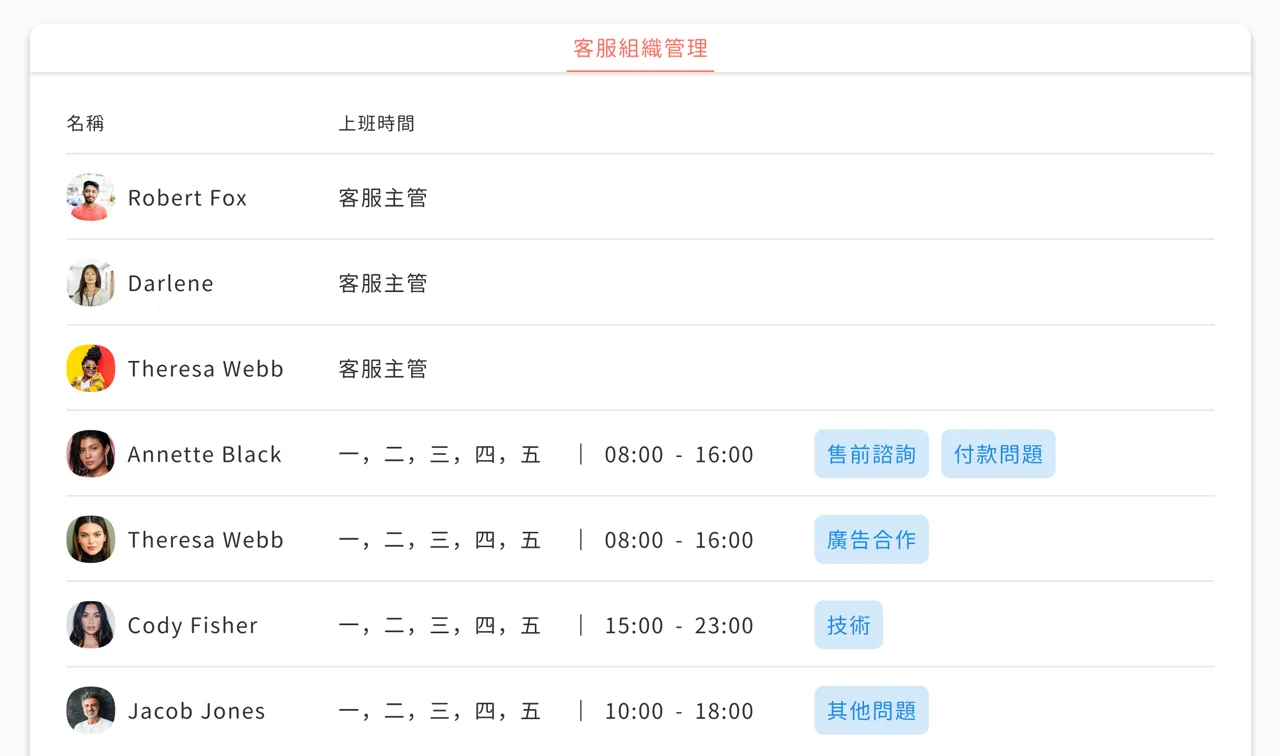
You can set dedicated conditions for individual agents. Only requests that match the conditions are distributed to that agent, so agents can specialize and requests are routed accordingly.
By tag
You can set one or more tags for an agent. Only when a member who has any of those tags sends a service message is it distributed to that agent.
For example, if you set the following four tags for agent Kylie, only service messages from members with these four tags may be distributed to Kylie.

By working hours
You can set working hours for agents, and the system will prioritize distributing service messages to agents who are currently on shift.

In general, if agents' conditions are loose, it's common for several agents to match at the same time. In that case, the system distributes completely at random.
💡
Random distribution suits general service teams, or sales teams with performance targets, to ensure fair distribution.
Service agents are the people who mainly handle service and receive service messages distributed by the system.
Service managers are the people who manage the service system. They don't receive messages from automatic distribution, and they have permission to manage Service Center.

To make the complete service workflow easier to understand, here's an example of Leon requesting service.
💡
Chatbot doesn't include the service transfer module: doesn't enter Service Center
💡
Chatbot includes the service transfer module: enters Service Center
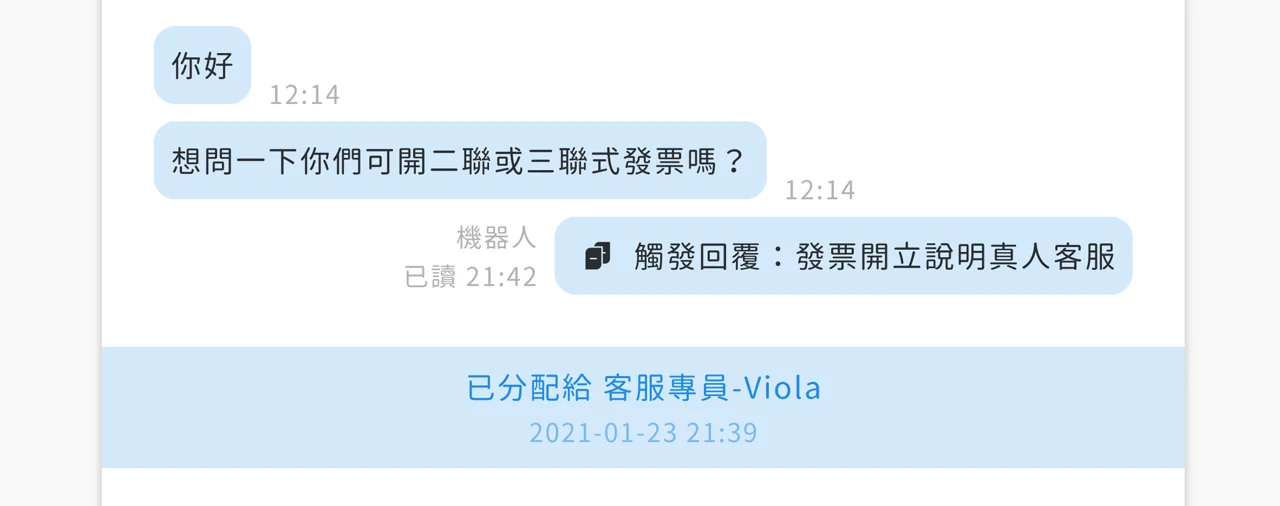
Because Leon has the "Issue invoice" tag, the system automatically distributes him to Wayne, the service agent responsible for issuing invoices.
Leon's message will be listed in agent Wayne's `Not accepted` area
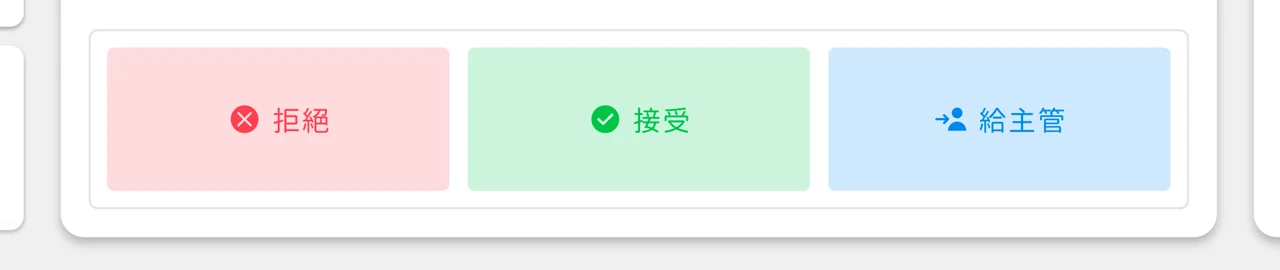
After viewing and assessing the message, agent Wayne has three options:
💡
Decline service: marks Leon's service message as Declined
💡
Accept service: starts the service
💡
To manager: hands it over to a manager
Once agent Wayne accepts Leon's message, the service workflow begins.
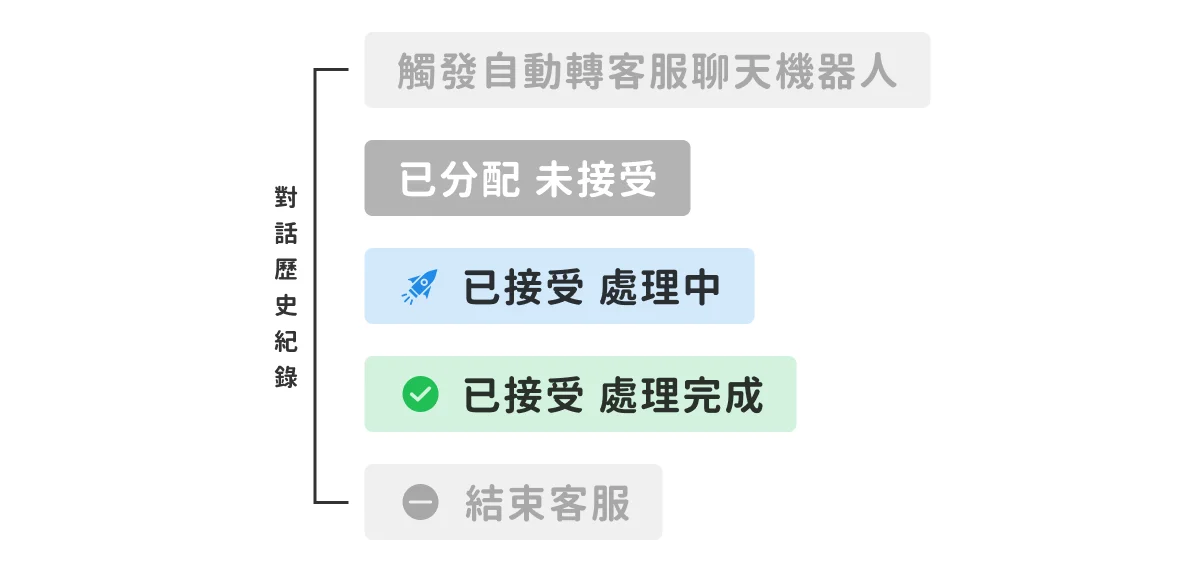
In process`
After Wayne accepts Leon's service request, Leon's status is marked `In process`, including in the service conversation, until Wayne considers the service finished.
Resolved`
Once Wayne considers the service finished, he can mark Leon's status as `Resolved`. Resolved messages are switched by the system to `Closed` after [a set period of time](https://oakmega.notion.site/85a895b1acf94fcd82447ae04dedc520#a21a2b4362544162ac5e613501c994a8) (the duration is configurable).
While marked resolved, if Leon still needs help and sends another message, or Wayne proactively sends a message, Leon's status is marked `In process` again and the service with Wayne continues.

💡
**After a service message is marked resolved, close the service if the friend doesn't reply for more than ____ hours
**To make sure customers' issues are truly solved, agents can only mark a conversation Resolved and can't close the service directly. The system can be set so that, a number of hours after an agent marks it Resolved, if neither the customer nor the agent has sent any message during that time, the issue is considered solved, and only then does the system mark it Closed.
Closed`
If Leon doesn't send any message within the set period, the system considers his request solved and marks Leon's status as `Closed`. Once Leon's status is marked `Closed`, the system treats this service as completely finished. If Leon sends a new message next time, the service workflow runs [from the beginning](https://oakmega.notion.site/85a895b1acf94fcd82447ae04dedc520#45cb524110bd49eb9e819aae564c7bc4).
When service agents reply, they appear with their own name and profile picture, giving friends a friendlier, human service experience.