
Avatar: role-play for your official account
Avatar lets you switch your official account's "role". By changing the name and profile picture, you can freely switch the identity your official account displays, adding a fun touch.
And if your brand needs to talk to users as an "individual", such as a message from the CEO or one-on-one messages from a sales rep, you can use avatar to turn the official account into a personal identity and easily earn users' trust.
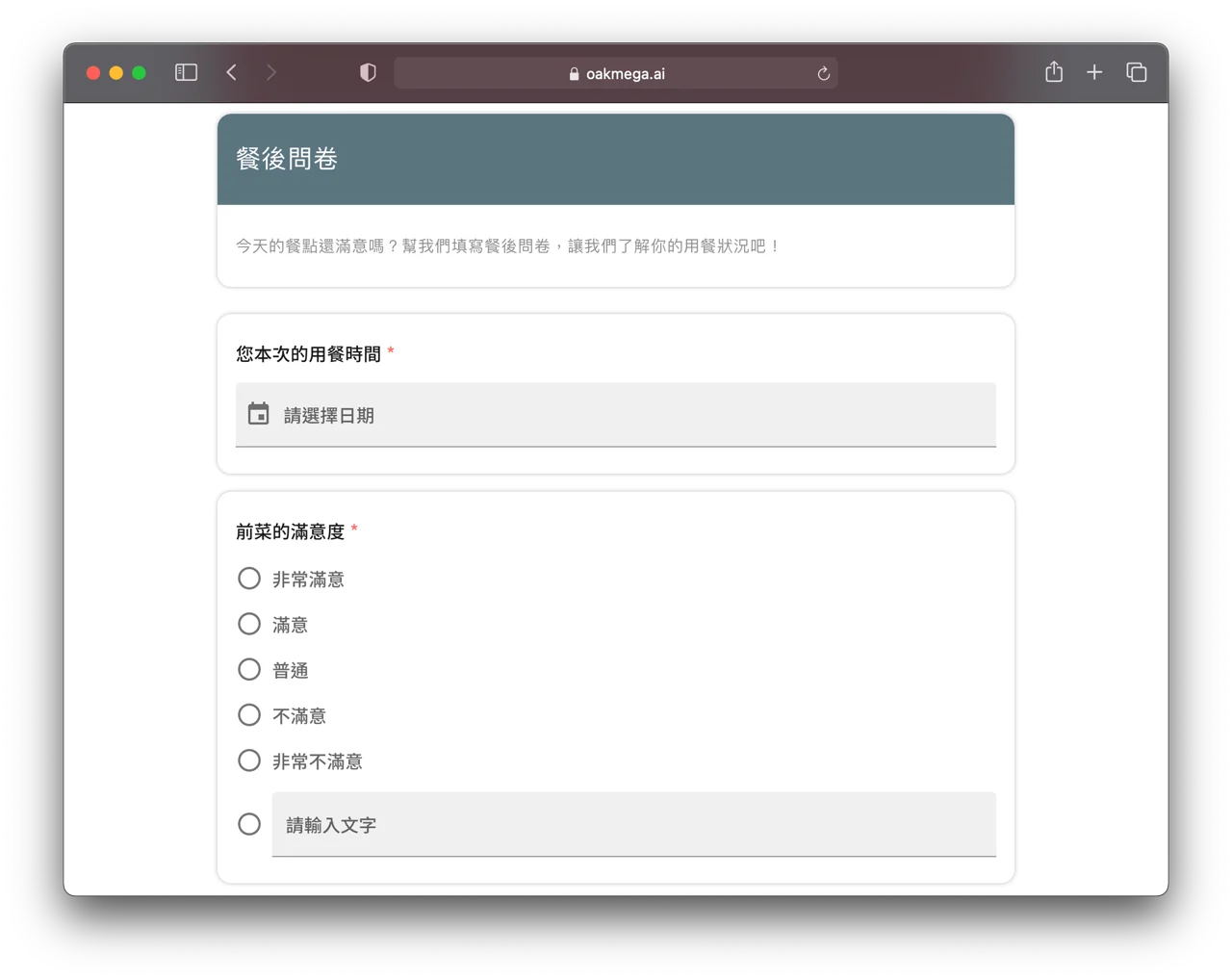
Questionnaires: real-name responses on LINE
LINE real-name questionnaires record the respondent's LINE account when they fill it in, linking questionnaire data perfectly with LINE friends. No more worrying about questionnaire data being hard to consolidate. From basic multiple-choice and short-answer questions to member data like birthday, name and phone number, it covers every kind of question you need.
In practice, OakMega questionnaires offer powerful real-name features and can also tag friends based on their answers. They're perfect for event sign-ups, user surveys and more, helping brands run all kinds of campaigns and build accurate friend data.
Improvements
- Message search in Live Chat is now sorted from newest to oldest
Fixes
- Advanced rich menus might not be applied correctly
- Template QR Code trigger conditions might have time difference errors
- Photo frame responses couldn't show Quick Reply