
OakMega member management upgrade: cross-channel data integration
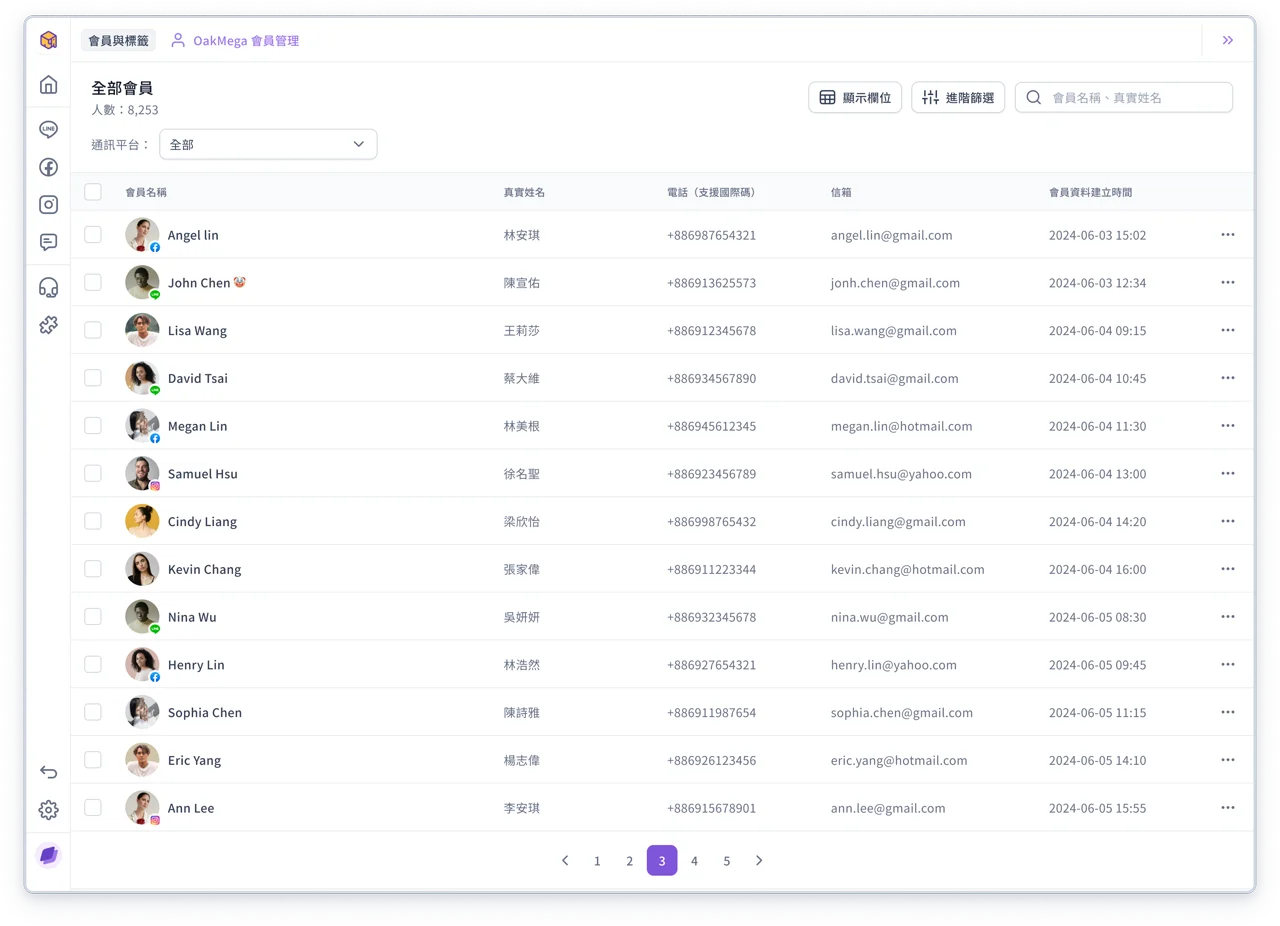
The all-new OakMega member management 3.0 brings members from different social channels into a single management interface. With filters and search, you can find specific members faster and easily keep track of member data across channels.
You can even manage members with "no social channel", such as email or phone lists, or lists from Google Sheets or Excel. OakMega helps you integrate and maintain them all!
💡
Note: If you have any questions, contact your OakMega representative or see the OakMega guide: Member management
Improvements
- Service Center 3.0 improvements, including:
- Adjusted message styles and text in the chat room
- Changed the style of "Member has blocked"
- Tag background colors on member cards are more visible
- Hovering over a message in the chat room shows the full date and time